
Make your next Vantage West loan payment via text message.
Setting Up Your Account:
1
Receive a text from Vantage West
2
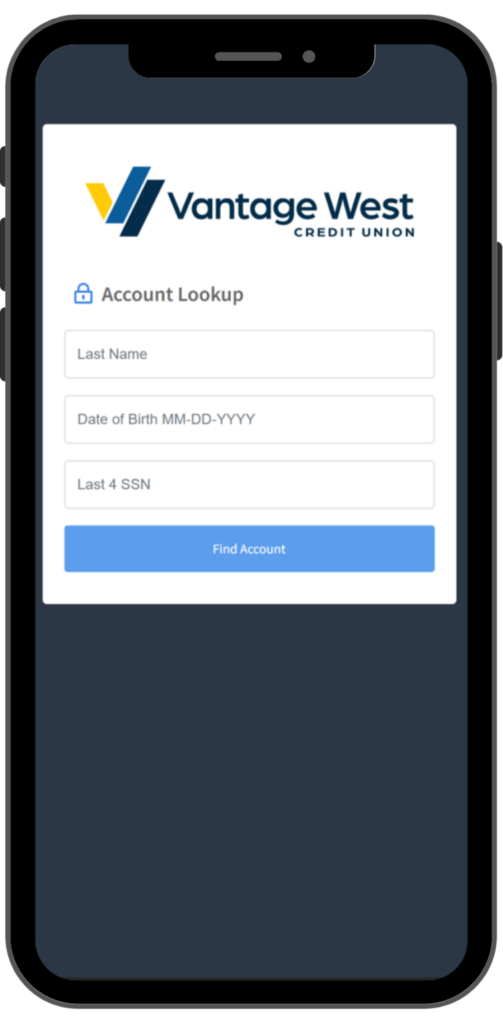
Verify your account
3
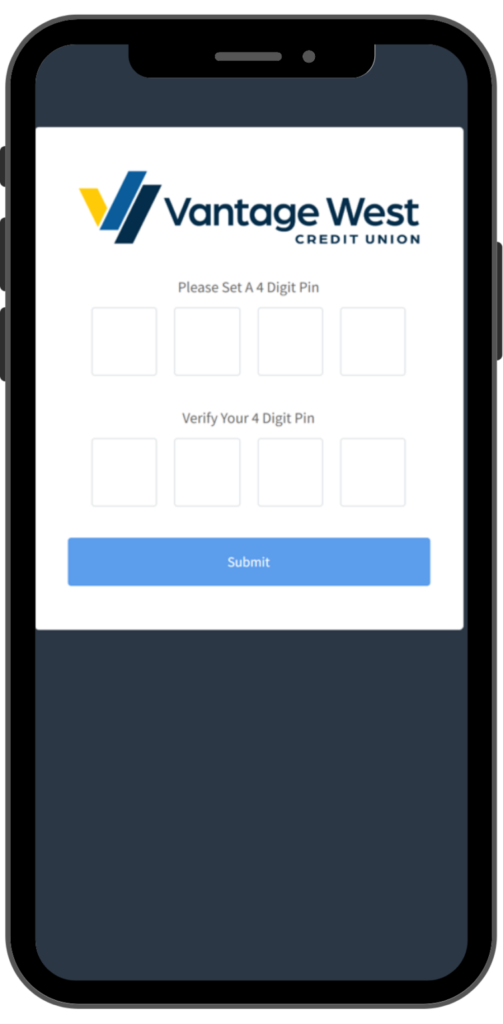
Create your 4-digit pin
4
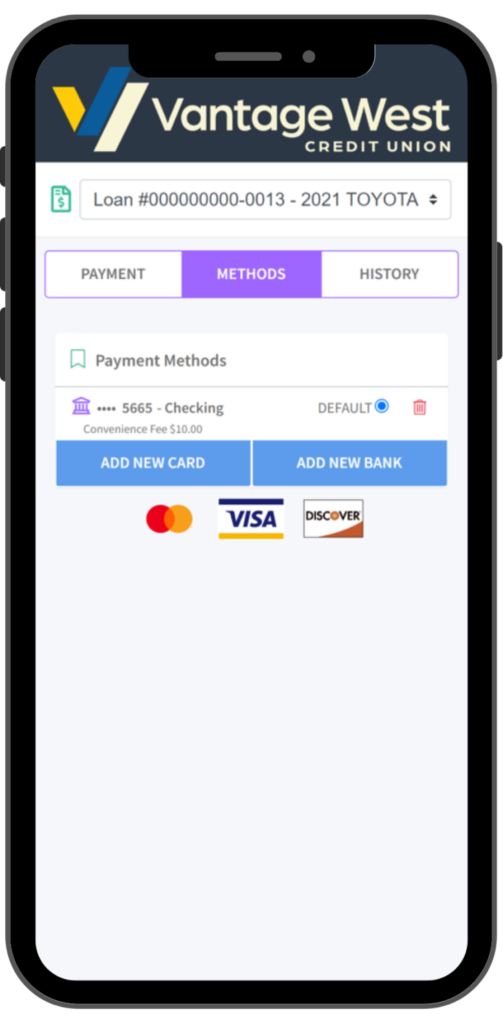
Add your preferred payment
5
Make a payment

What you should know:
- You will receive a text message informing you of the amount due on your loan. You will be able to review your payment options or you will be able to opt out of our text message service by texting “STOP”.
- The link will take you to a portal where you will be asked to verify your account with your last name and last 4 of SSN.
- When you verify your account for the first time you will have to set up the following:
- 4-Digit PIN: once you have entered your account information, it will prompt you to create a 4-digit pin. Store this information in a secure place as you will need this PIN to verify future payments.
- Preferred Method of Payment: to make a payment you will have to add your preferred form of payment in the portal. You can do this by selecting ADD NEW DEBIT CARD or ADD NEW BANK ACCOUNT which will prompt a secure website for you to input your information. If done correctly, there will be a message stating ‘Payment Method Success’ and you will be redirected to the payment portal.
- Use MessagePay to make payments on your vehicle, real estate, and unsecured loans with Vantage West.
- A $10 convenience fee applies to payments for vehicle, real estate, and unsecured loan types.
- Use MessagePay to make payments to Vantage West credit cards with no convenience fee.
Why MessagePay?
MessagePay adds to the way you can pay with the simplicity of a text message.
- Convenient: Text reminders make sure you never miss a payment.
- Secure: Encrypted information guarantees your information is secure.
FAQs
If I opt out of receiving text messages, will I still be able to use this service?
No, you must be opted in to text messages in order to be able to access MessagePay. You can opt back in by responding “UNSTOP”.
Can I continue making payments through Vantage West online and mobile banking?
Yes, you can still make payments through online and mobile banking by transferring from an internal account or linking an external bank account. Making your loan payment via debit card is currently unavailable through Vantage West online and mobile banking. Debit card payments can be made through MessagePay.
Can I pay my Vantage West credit card via MessagePay?
Yes, you can pay your Vantage West credit card and no convenience fee will be charged.
Can I pay my Vantage West vehicle, real estate or unsecured loans with MessagePay?
Yes, you can pay your Vantage West vehicle, real estate or unsecured loans types, these payments will have a $10.00 convenience fee applied.