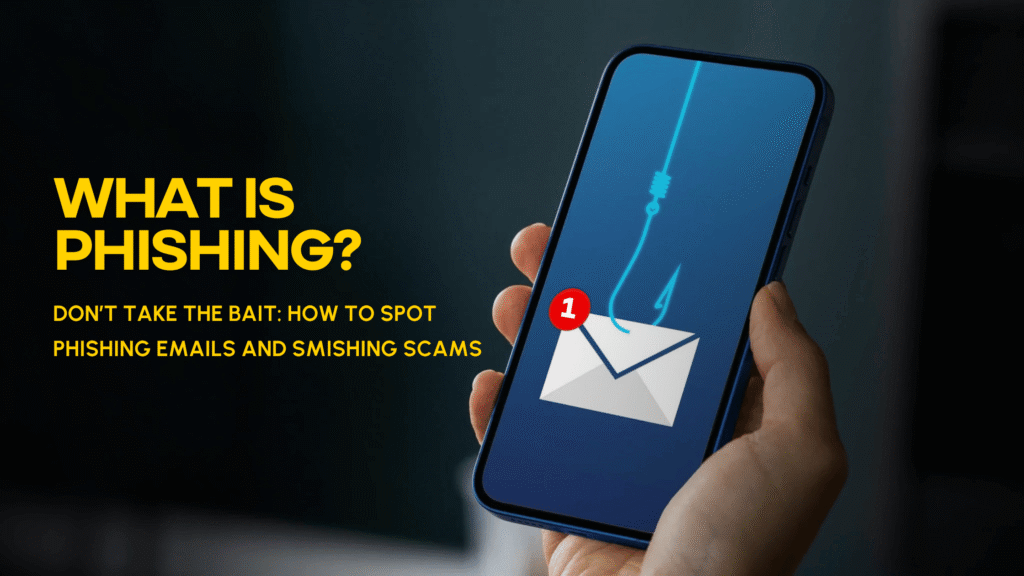
What is Phishing? Don’t take the Bait. Scammers are always looking for new ways to steal personal data, passwords, account numbers, and banking credentials. These cybersecurity tips can help you spot phishing email scams, text message scams, fake bank text messages, and other online scams.
Two common tactics are phishing and smishing. Phishing uses fake emails. Smishing uses fake text messages. Both try to get people to click on unsafe links, share personal data, or download harmful software. These messages may look like they come from a trusted business, bank, delivery service, government office, or even a friend. They often use urgent language, so you act fast before you stop and think.
Staying informed is one of the best ways to protect yourself. Organizations like the Federal Trade Commission (FTC), Cybersecurity and Infrastructure Security Agency (CISA), and Federal Communications Commission (FCC) regularly publish guidance to help consumers recognize and avoid phishing and smishing scams.
The good news is that a few simple cybersecurity habits can help you spot warning signs and protect yourself from text message fraud, email scams, and other online scams.
Quick Answer: What Are Phishing and Smishing Scams?
Phishing is a scam where criminals use fake emails to steal personal or financial information. Smishing is the same idea, but through text messages. Both scams often include urgent requests, odd links, or claims that there is a problem with your account. Scammers may use them to steal passwords, account numbers, Social Security numbers, or other sensitive data.
What Is Phishing?
Phishing happens when a scammer sends a fraudulent email that appears to come from a trusted source. It may look like it is from your bank, credit card company, utility provider, online payment app, or another organization you recognize.
These emails often try to create concern or urgency. For example, a phishing email might say there has been suspicious activity on your account, your payment information needs to be updated, or you need to confirm personal information right away. The goal is to get you to click a link, open an attachment, or provide sensitive details before realizing the message is fake.
What Is Smishing?
Smishing is a text message scam that uses the same basic strategy as phishing. Instead of sending an email, scammers send a text message that may appear to come from a bank, credit union, delivery service, government agency, or well-known company. According to the FCC, smishing combines “SMS” and “phishing” and is one of the most common forms of text message fraud. These messages often impersonate financial institutions, delivery companies, or government agencies in an attempt to steal personal information or banking credentials.
A smishing text may include a link or phone number and claim that your account has been locked, a payment failed, suspicious activity was detected, or action is needed immediately. If you click the link or call the number, scammers may try to collect your login information, banking credentials, or personal details. They may also try to get you to download malware to your device.
Common Warning Signs of Phishing Emails and Fake Bank Text Messages
Phishing emails and smishing text messages can be convincing, but there are usually red flags. Be cautious if a message:
- Creates a sense of urgency or fear
- Says your account is locked, suspended, or at risk
- Asks you to verify personal or financial information
- Includes a link you were not expecting
- Comes from an unfamiliar number, email address, or sender
- Has spelling errors, odd wording, or formatting that feels off
- Offers something that seems too good to be true
- Requests a password, verification code, PIN, or account number
- Tells you to act right away to avoid a consequence
Scammers often tell a story to get people to click. They may claim there is a problem with your account, a payment issue, a fake invoice, a refund, or a reward that is about to expire.
Why Scammers Use Urgency
Urgency is one of the most common tools scammers use. A message may say, “Your account will be closed,” “Suspicious activity detected,” or “Click now to verify your information.” These messages are designed to make you react quickly.
Before clicking, take a moment to pause. Scammers want you to feel rushed, while legitimate organizations generally provide secure ways to verify account information through official channels.
How to Tell if a Text Message From Your Bank or Credit Union Is Real
A text from your bank or credit union may be real, especially if you have account alerts turned on. Still, be careful with any message that includes a link or asks for sensitive information.
If you get a suspicious email or text that says it is from your financial institution, do not click the link or reply. Instead, contact the organization directly using a phone number from its official website, your account statement, or the back of your card. The FCC recommends checking suspicious texts by contacting the company or agency through a known, official source.
What Should You Do if You Receive a Suspicious Email or Text?
If something feels off, trust your instincts. Take these steps:
- Do not click unknown links.
Links in phishing emails and smishing texts may lead to fake websites or malware. - Do not reply to suspicious messages.
Even replying “STOP” to a suspicious message can confirm that your number is active. - Do not share personal information.
Never provide passwords, PINs, account numbers, Social Security numbers, or verification codes through an unexpected message. - Verify through official channels.
Contact the company, financial institution, or agency directly using a trusted phone number or website. - Delete suspicious texts and emails.
After you confirm the message is fake, remove it from your inbox or phone. - Report the scam.
You can report fraud, scams, and suspicious activity to the Federal Trade Commission at ReportFraud.ftc.gov.
What if You Clicked a Phishing Link?
If you clicked a suspicious link but did not enter information, close the page immediately. Avoid downloading anything, and consider running a security scan on your device.
If you entered your username, password, account number, or other sensitive information, take action right away:
- Change your password immediately
- Use a strong, unique password for each account
- Enable multifactor authentication where available
- Review your account activity for unauthorized transactions
- Contact your financial institution directly
- Monitor your credit and financial accounts
- Report identity theft at IdentityTheft.gov if your personal information was misused
IdentityTheft.gov provides step-by-step recovery guidance for people who believe their identity has been stolen.
How to Protect Yourself From Phishing and Smishing Scams
While scammers continue to change their tactics, strong security habits can help reduce your risk.
Be suspicious of urgent requests
Scammers often rely on panic. If a message pressures you to act immediately, slow down and verify before responding.
Never click unknown links
Instead of clicking a link in a message, go directly to the official website by typing the address into your browser or using a trusted app.
Verify requests through official channels
If a message claims to be from your financial institution, a business, or government agency, contact them directly using a known phone number or official website.
Be cautious with text messages claiming to be from your financial institution
A fake bank text message may look real, especially if it uses familiar language. When in doubt, do not reply or click. Contact your financial institution directly.
Use strong, unique passwords
Avoid reusing passwords. If one password is exposed in a data breach, criminals may try to use it to access other accounts.
Turn on multifactor authentication
CISA, the nation’s cybersecurity agency, recommends using multifactor authentication, strong passwords, and updated software as some of the most effective defenses against cybercrime and online scams.
Keep your devices updated
Software updates can include security improvements and fixes that help protect your phone, computer, and apps.
Key Takeaways
- Be suspicious of urgent requests.
- Never click unknown links.
- Verify requests through official channels.
- Be cautious with text messages claiming to be from your financial institution.
- Never provide passwords, PINs, verification codes, or account information in response to an unexpected message.
- Use strong passwords and multifactor authentication to help protect your accounts.
Frequently Asked Questions
What is the difference between phishing and smishing?
Phishing scams use fake emails, while smishing scams use text messages. Both are designed to trick people into sharing personal information, passwords, or financial account details.
Can a smishing text steal my banking information?
Yes. Some smishing texts contain links to fake websites that look real. If you enter your username, password, account number, or other sensitive information, scammers may use it to access your accounts.
Should I reply to a suspicious text message?
No. Avoid replying to suspicious text messages, even if the message says to text “STOP.” Replying may confirm your number is active. The FCC recommends deleting suspicious texts and checking messages through official contact information.
How do I know if an email from my financial institution is real?
Look closely at the sender, links, wording, and request. If the message asks for personal information, creates urgency, or directs you to click a link, contact your financial institution directly using a phone number from its official website or your account statement.
What should I do if I gave information to a scammer?
Change your password, contact your financial institution, review your account activity, and monitor your credit. If you suspect your identity has been stolen, go to IdentityTheft.gov for a recovery plan.
Stay Alert and Protect Your Information
Phishing and smishing scams are designed to look real, but taking a few extra seconds to pause, check, and avoid suspicious links can make a big difference.
If you get a suspicious email or text that claims to be from Vantage West Credit Union, contact us directly using a phone number from our website or your account statement. Never use contact information from a message you do not trust.
DISCLOSURES
This content provided is for informational and educational purposes only. Vantage West Credit Union offers these types of blogs as tools to educate on various potential financial scenarios. We cannot and do not guarantee their applicability or accuracy in regard to your individual circumstances. We encourage you to seek personalized advice from our qualified Financial Coaches regarding all personal finance questions. All products and services are subject to approval. Certain restrictions may apply. Federally insured by NCUA.